
What's new in CyberNanny 2026: free plan, AI Advisor, chat, AI alerts
In 2026 we switched CyberNanny to a free model — most features that used to require payment are now available to everyone, forever, at no cost. This article explains what changed and what's new.
CyberNanny is now free
Previously, after the 7-day trial you had to subscribe to keep using core features. Not anymore. When you connect a device you get 7 days of full PRO access, then automatically move to the free plan — no payment, no expiration, no time limit.
The free plan isn't a stripped-down demo. It's a complete parental control with messengers, anti-uninstall protection, app limits and parent-child chat. PRO subscription stays for those who need extended features — unlimited AI, route history, full AI alerts.
What's free forever
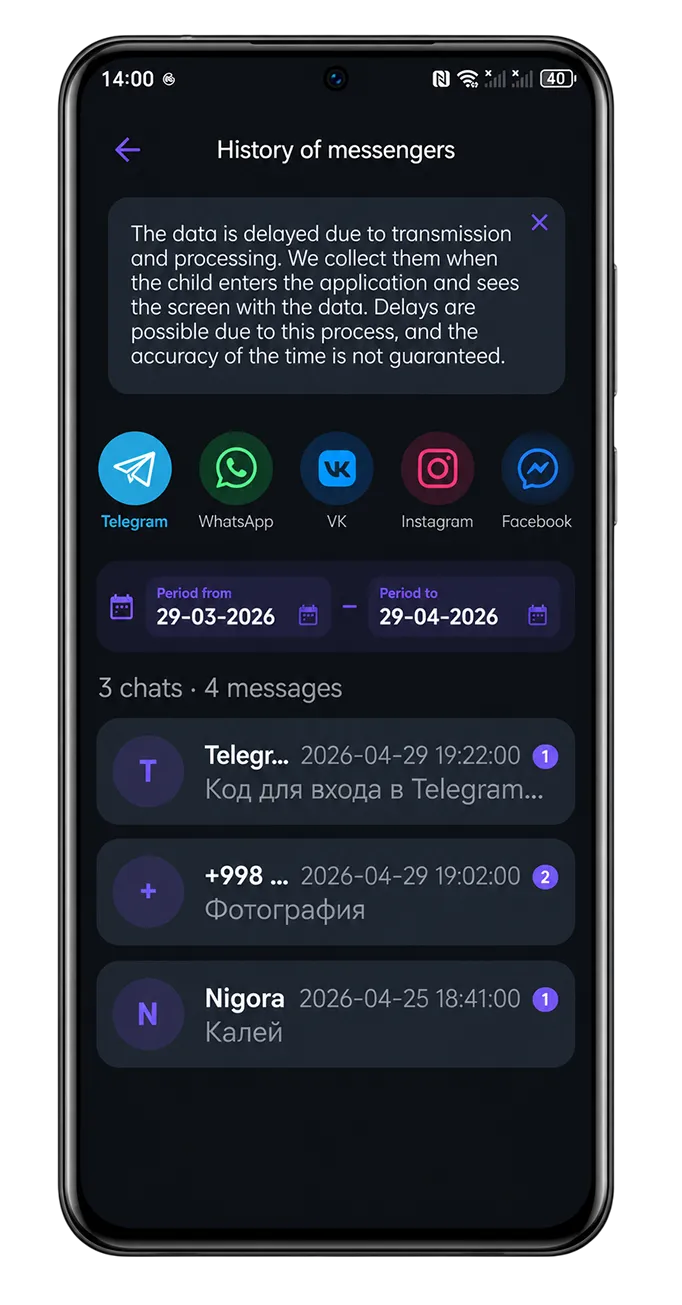
- Messengers — Telegram, WhatsApp, Viber, Instagram, Facebook, VK, MAX, Signal: full chat history, photos, voice messages
- Browser history — 29 supported browsers, unlimited
- App limits and blocking — TikTok, YouTube, games under control
- Anti-uninstall protection — your child can't remove the app
- Parent-child chat — text, voice, photos; they won't "lose" the app because they use it to chat with you
- Live map and "home" geofence with enter/leave alerts
- Calls and contacts — fully
- 1 child device (multiple — PRO)
What's in PRO
- AI Advisor unlimited — 10+ queries per day instead of 1 per month
- AI alerts without masking — all alerts with full details (on FREE, first alert per month full, rest masked)
- Full weekly AI report — detailed analysis instead of a short summary
- Route history and unlimited geofences
- Unlimited devices — monitor all your children at once
New in 2026
🤖 AI Advisor
Ask anything about your child in plain words — the AI Advisor will give a detailed answer using data from your cabinet. "What if my child is texting strangers?", "How much screen time is normal at 12?", "How to gently limit TikTok?" — answers tailored to your situation, not generic templates.
💌 Parent-child chat
A full messenger inside CyberNanny — text, voice, photos, videos, documents, edit/delete, message history. Main benefit: your child won't uninstall the app because they use it to message you. Available on FREE.
⚠️ AI alerts for risky content
When something concerning appears in your child's chats — bullying, strangers, dangerous challenges, drugs or self-harm — the AI automatically warns you. On FREE the first alert each month comes with full details; the rest are masked. PRO unlocks full details for all alerts.
How to get started
Already signed up? Just open the app, everything new is available right away. If not — download CyberNanny on Google Play, App Store or AppGallery, create an account, and connect your child's device via QR code. First day is full PRO, after that — FREE forever.
Questions
If something is unclear or you have feedback — drop us a line at supports@thecybernanny.com or on Telegram @cybernanny_support.